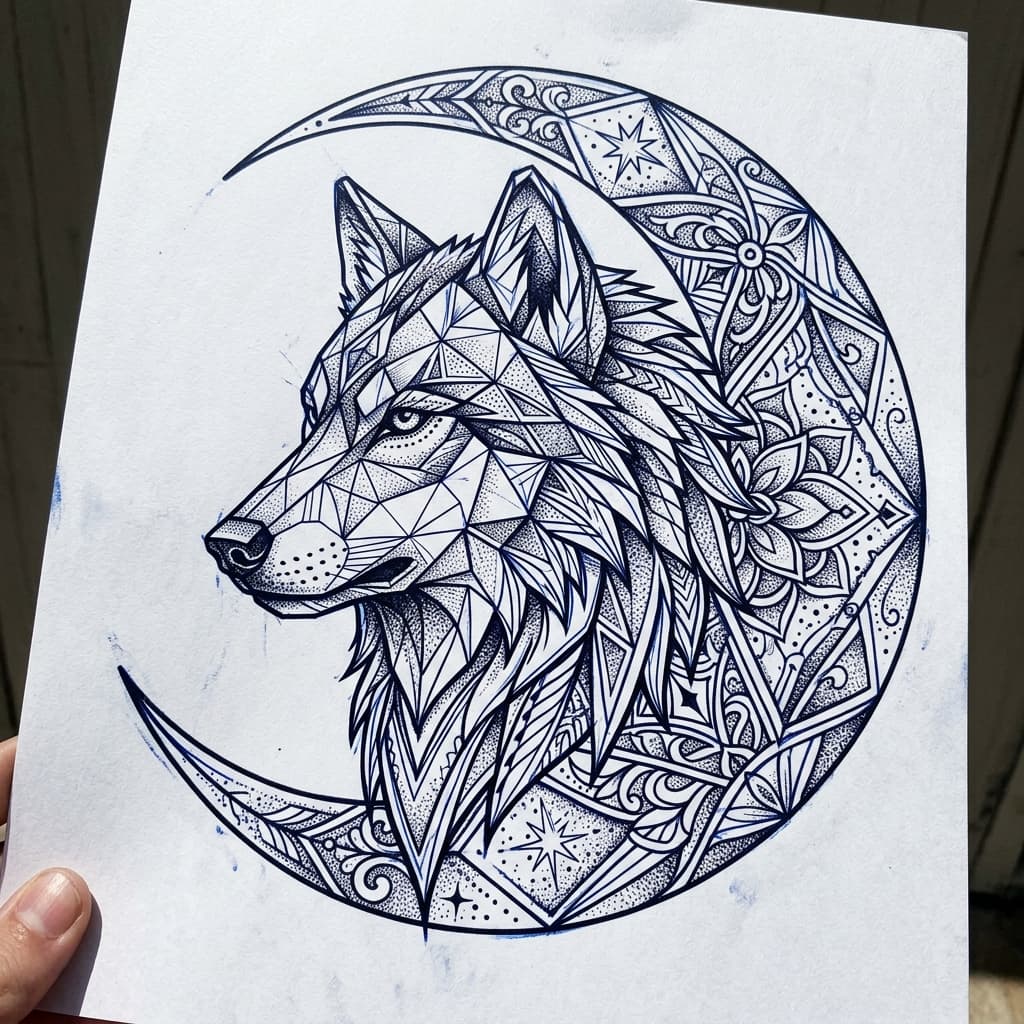
Why artists use a tattoo stencil maker
Shop time is expensive. Tracing every client concept by hand slows booking calendars and invites last-minute redraws. A tattoo stencil maker compresses that loop: start from a prompt, a flash sketch, or a photo, then produce a high-contrast outline that survives thermal printing. Clients leave with a shared visual agreement instead of a vague phone screenshot.
This page pairs with the broader AI tattoo generator and the tattoo design generator when you still need shaded mood boards. Keep stencil mode for the transfer layer; keep artwork mode for the consult wall.
Professionals also use stencil exports between appointments. Email a PNG, print at 1:1, and mark placement notes in the margin. When the client returns, you are adjusting taper—not reinventing the silhouette under pressure.
Line weight, contrast, and printable size
Good stencils read at skin distance. That means continuous outer contours, intentional gaps for negative space, and line weights that do not vanish when the design shrinks to a wrist or explode into blobs on a calf. Dial contrast until soft gradients become decisive edges. If a portrait needs micro-detail, keep a shaded concept for mood and a simplified stencil for transfer.
Always proof size on paper. Measure the intended width in centimeters, print without “fit to page,” and tape the proof on the body. Flex the joint. If key shapes warp, open the sleeve tattoo generator guide for large-area flow tips, or reduce motif density before you regenerate.
Photo references convert cleanly when lighting is even. For portrait or pet jobs, start in the AI tattoo generator from photo flow, then refine outline thresholds here. Text-first flash still benefits from the AI tattoo generator from text prompt formula before you lock the stencil.
Export formats and thermal handoff
Download PNG by default. Keep edges crisp and avoid social-media recompression. Import into your usual tablet app to nudge taper, then send the outline to the thermal printer or carbon workflow your booth already trusts. Bring both the art render and the stencil so the client sees style and structure.
Cover-up sessions need denser fills. When old ink sits under the plan, review the AI tattoo cover up generator page for density strategies, then return here to export the final printable contour. First-time clients who only need ideation can stay on the free AI tattoo generator and graduate to stencil proofs once they book.
Remember: a stencil is a transfer guide, not a license to skip anatomy. Licensed artists still own placement, stretch, and aftercare decisions. Use this tattoo stencil generator to save redraw hours—not to replace professional judgment.
Practical booth checklist: export PNG, print 1:1 without scaling, mark north orientation on the paper, note max width, and store a backup on your tablet. If the client hesitates overnight, regenerate with one constraint changed—line weight or negative space—rather than rewriting the entire subject. That discipline keeps the tattoo stencil maker workflow fast while still respectful of skin.
Tattoo stencil maker FAQ
What is a tattoo stencil maker?
+
A tattoo stencil maker turns artwork or prompts into high-contrast outline layers you can print for thermal transfer. Unlike a generic image editor, it prioritizes clean contours, consistent line weight, and negative space so the transfer reads clearly on skin before any needle work begins.
How is a tattoo stencil generator different from flash art?
+
Flash art shows shaded mood and style. A tattoo stencil generator focuses on the printable contour your client and artist agree on. Many workflows export both: a concept render for the consult and a stencil outline for the transfer printer or carbon paper workflow in the booth.
What line thickness works best for printable stencils?
+
Aim for contours that stay open when scaled to real body size. Hairline strokes can break on thermal paper; overly thick lines can muddy small motifs. Preview at 1:1 print size, then thicken or simplify before you commit ink. Our studio contrast controls help you test that balance quickly.
Which export format should tattoo artists download?
+
PNG with a clean white or transparent background is the practical default for thermal printers, Procreate imports, and email handoffs. Keep a second copy at full resolution. Avoid heavy JPEG compression that softens edges and makes stencil thresholds harder to dial in.
Can I size a stencil for a specific body placement?
+
Yes. Generate the design, print a paper proof at the intended centimeter or inch width, and tape it on the placement. Walk, flex, and check wrap distortion. If the silhouette collapses on a curve, regenerate with simpler density or open the related sleeve and cover-up guides for larger-area planning.
Print your next stencil
Open the studio in stencil-oriented mode, or jump to design and cover-up tools when the brief needs more than outlines.