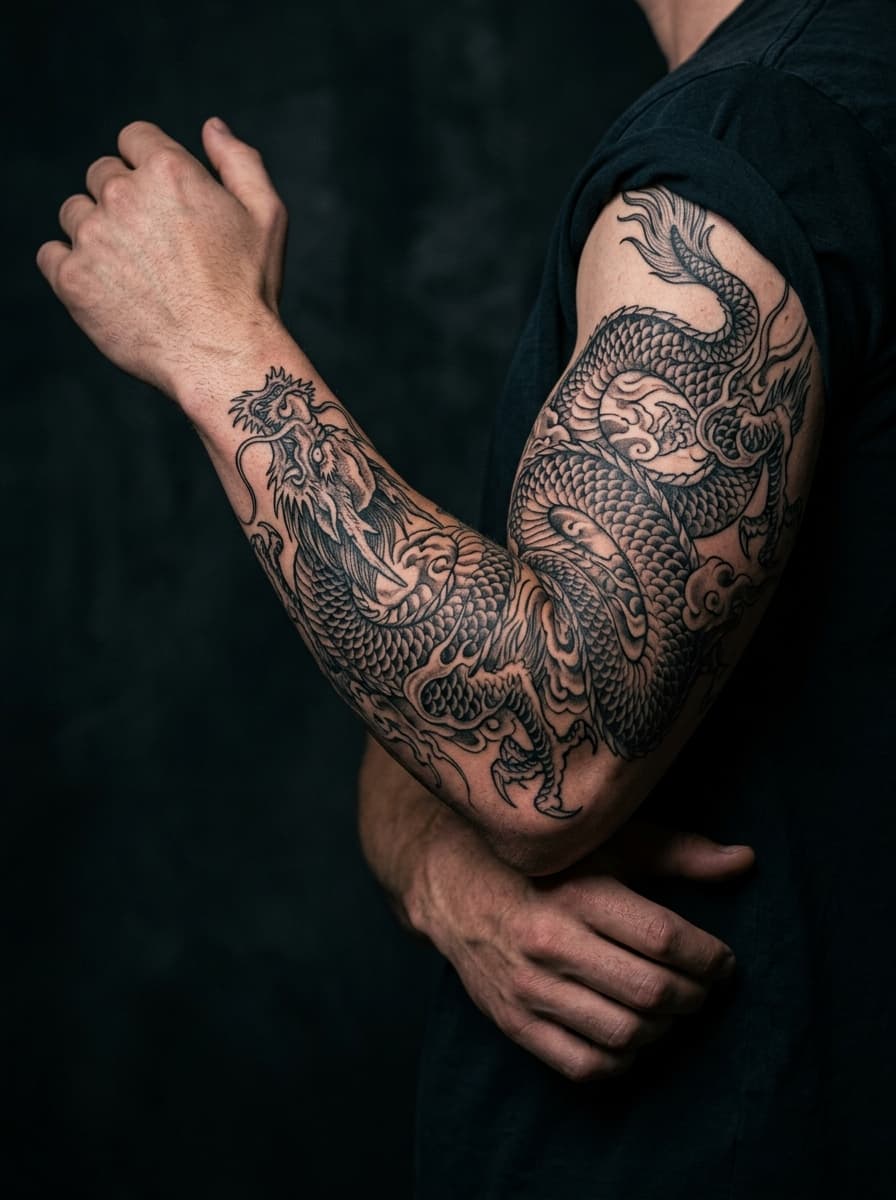
Plan flow before you fill every inch
Sleeves fail when every centimeter screams for attention. An AI tattoo sleeve generator should help you establish a hero motif, a background language, and breathing room. Waves, clouds, wind bars, geometric packing, or soft black gradients can carry the eye around the elbow without inventing a new character every two inches.
Begin with the broader AI tattoo generator or the tattoo design generator for style tests, then scale prompts toward “half sleeve,” “outer forearm panel,” or “full arm wrap.” The from text prompt hub includes placement words that change composition scale.
Print large proofs. Tape upper-arm and forearm sections separately if needed, then check how they meet at the elbow when you bend. Digital flat mockups hide wrap distortion that only appears on a flexed arm.
Joints, density, and session planning
Elbows, armpits, and inner biceps demand simpler shapes or stronger outlines. Pack detail on flatter planes—outer forearm, deltoid face—where healing and viewing angles are kinder. Prompt for continuous flow rather than a collage of stickers. If old ink sits under the plan, open the AI tattoo cover up generator to stress-test dark zones inside the sleeve map.
Multi-session realism: sleeves take time and money. Use AI to align on the story early so you and your artist are not reinventing themes mid-arm. Export PNG chapters, then convert key panels through the tattoo stencil maker for thermal-ready outlines before each sitting.
Photo references—kimonos, statues, pet portraits—can seed a sleeve chapter via the AI tattoo generator from photo flow. Keep one style bible (line weight, palette rules, background motif) so later sessions still match session one.
Budget the blank space. Leaving intentional skin between motifs is not unfinished work—it is pacing. An AI tattoo sleeve generator that fills every pixel will look impressive in a flat mockup and exhausting on a living arm. Ask your artist where rest areas should sit for healing and for visual rhythm when you wear short sleeves.
Color vs black-and-grey is a strategic choice on sleeves. Color sleeves need a consistent palette family across months of sessions; black-and-grey sleeves forgive small shifts in weather and artist hand. Generate both directions once, pick a lane, and stick to it so the finished arm reads as one piece instead of a timeline of changing tastes.
First-timers who feel overwhelmed can still begin on the free AI tattoo generator with a single forearm panel, then grow into sleeve language once they trust the style. Large work rewards patience more than it rewards speed.
Sleeve tattoo generator FAQ
What is a sleeve tattoo generator?
+
A sleeve tattoo generator helps you plan large-arm compositions—half sleeves, full sleeves, and connecting panels—using AI concepts. You explore flow around elbows and shoulders, test density, and download PNG ideas before committing months of sessions with a tattoo artist.
How is an AI tattoo sleeve generator different from a single flash piece?
+
Single flash floats as one icon. Sleeve work needs continuous flow: background fillers, directional movement, and motifs that survive joint bend. An AI tattoo sleeve generator prioritizes narrative panels and wrapping shapes instead of one isolated emblem centered on flat skin.
Should I generate the whole sleeve at once?
+
Start with a hero motif and a background language—waves, wind bars, geometric lattice, or blackwork packing—then expand section by section. Full-arm one-shots often look busy. Iterate upper arm, elbow bridge, and forearm as related chapters that share style rules.
Can I use sleeve concepts for cover-ups?
+
Yes. Expanding into a sleeve is a common way to hide old ink while building a cohesive arm. Combine this guide with the AI tattoo cover up generator for density over dark zones, then export stencil outlines when placement is approved.
Map your next sleeve
Generate a flowing arm concept, or jump to cover-up and stencil tools when density and transfer matter most.