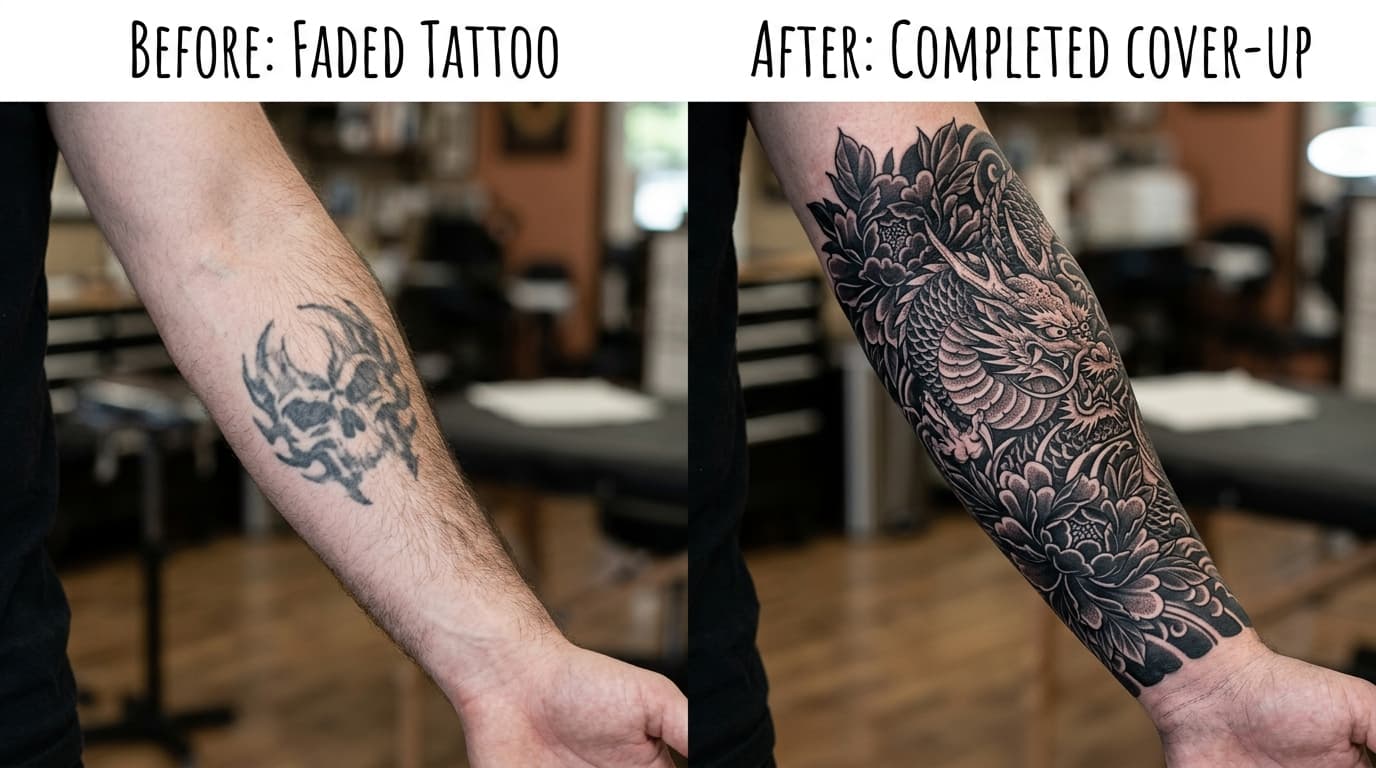
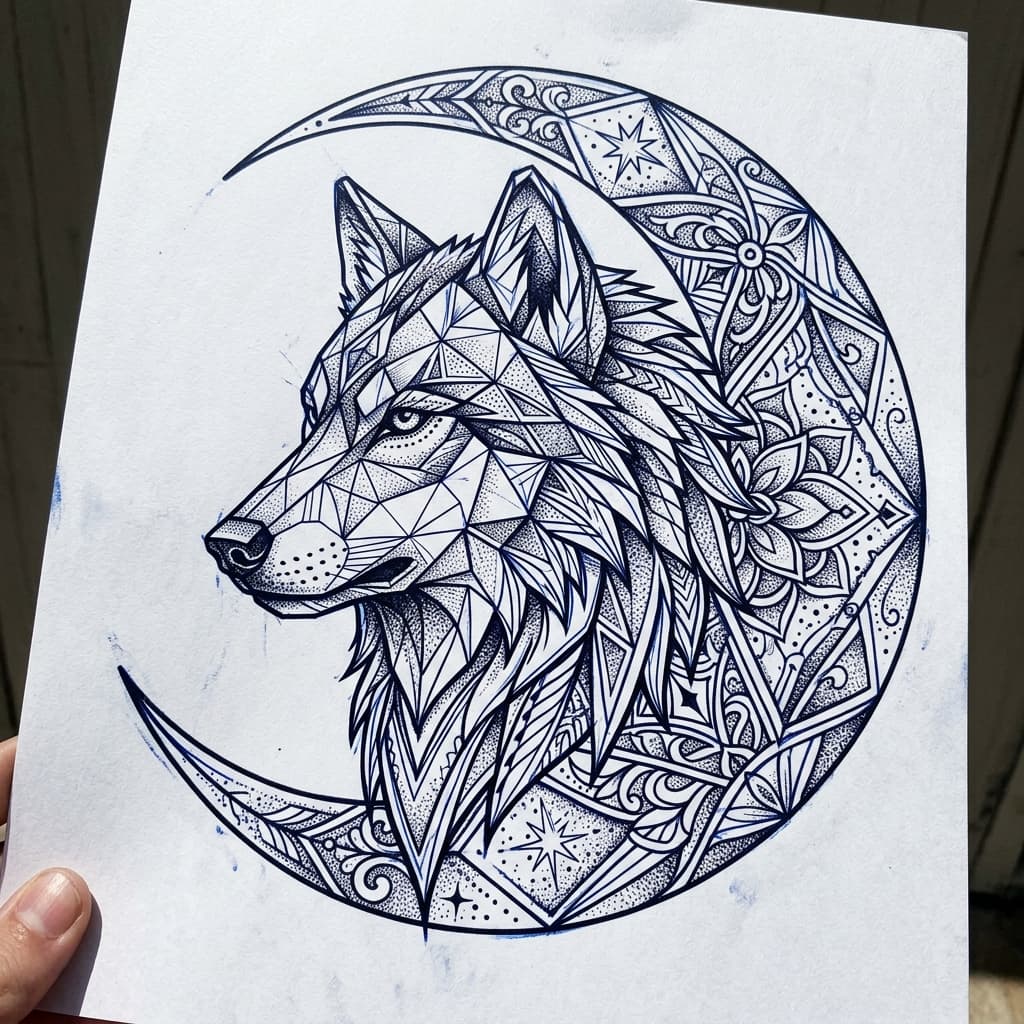
When to use an AI tattoo cover up generator
Cover-ups fail when the new piece is too light, too small, or too open. An AI tattoo cover up generator helps you stress-test density: can this mandala, koi panel, or blackwork shield sit on top of the old lettering without ghosting through? Generate a few larger, darker options and discard anything that relies on fine empty space over black ink.
Pair this page with the main AI tattoo generator and the tattoo design generator when you still need style exploration before committing to a cover strategy.
Density, size, and dark-zone strategy
Rule of thumb: the new tattoo usually needs to be bigger and darker than the old one. Map the darkest remaining ink and place solid fills or busy pattern there. Leave lighter negative space only where the old tattoo is already pale or will be lasered. Prompt language like “heavy black fill,” “solid leaves,” or “packed scales” outperforms “delicate outline.”
Photograph the existing piece in even light and use the AI tattoo generator from photo path as a reference companion. Then iterate cover concepts in cover-up mode. For printable contours after you pick a winner, finish in the tattoo stencil maker.
Cover-up vs sleeve-scale redesign
Some old tattoos sit inside a larger blank canvas. Expanding into a half or full sleeve can hide regret while creating a cohesive story. If that is your path, read the sleeve tattoo generator guide for flow and joint wrapping, then return here for density checks over the scarred or dark zones.
Still deciding whether free ideation is enough? Start on the free AI tattoo generator page, then escalate to cover-up mode once you know the old piece must be masked rather than simply redesigned beside it.
Artist consult checklist
Bring: clear photos of the old tattoo, two or three PNG cover concepts, preferred size notes, and honesty about pain or laser budget. Ask whether a single session can cover or whether lightening is wiser. Expect professional judgment to override any AI suggestion that will not heal cleanly.
Emotional readiness matters too. Cover-ups are often about closing a chapter. Take a day between generating options and booking so you are choosing density for coverage—not rushing a revenge design. The AI tattoo cover up generator is a planning desk, not a same-day impulse machine. Print concepts, sleep on them, then decide with your artist which path respects both skin and story.
After the consult, keep your chosen PNG and stencil outline together. If the shop schedules a laser first, regenerate after lightening because the dark map will change. Re-running the cover up generator with new photos is cheaper than forcing an outdated overlay onto skin that no longer matches the plan.
AI tattoo cover up generator FAQ
What is an AI tattoo cover up generator?
+
An AI tattoo cover up generator helps you redesign an old tattoo by proposing denser, higher-contrast overlays that can conceal existing ink. You explore blackwork, Japanese, floral, or geometric concepts, then take PNG ideas to a licensed artist who will confirm coverage on real skin.
Can AI guarantee my old tattoo will disappear?
+
No generator can guarantee full coverage. Success depends on ink color, scar tissue, placement, and how much larger or darker the new piece can be. Use AI for planning density and silhouette; rely on your artist for laser advice, skin assessment, and final line decisions.
What styles work best for cover-ups?
+
Dense blackwork, Japanese irezumi panels, neo-traditional florals with heavy fill, and geometric mandalas with solid negative-space planning often cover better than fine-line wisps. Soft watercolor edges rarely hide dark lettering without a larger, darker frame around the old piece.
Should I upload a photo of my old tattoo?
+
Yes when possible. A clear, well-lit photo of the existing piece helps you and your artist judge dark zones. Convert or reference it in photo mode, then iterate denser concepts. Keep privacy in mind and avoid sharing identifiable images in public chats.
Do I need laser removal before a cover-up?
+
Sometimes. Very dark or large pieces may need lightening first. Generate cover-up options either way so you can discuss paths: direct cover, partial laser then cover, or full removal. Bring printed concepts to the consult so the conversation stays concrete.
Redesign the old ink
Open cover-up mode in the studio, or explore sleeve and stencil tools if your plan grows beyond a local patch.