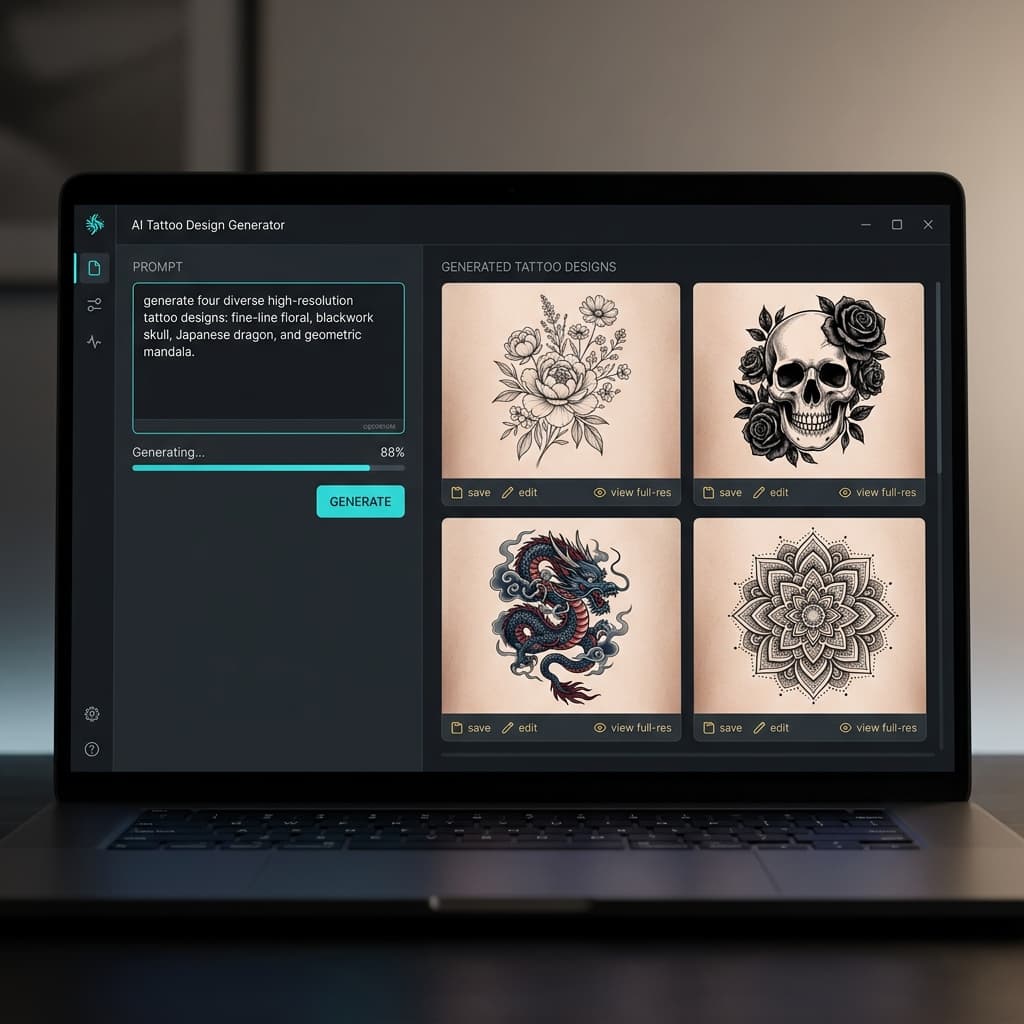
What a tattoo design generator should deliver
A useful tattoo design generator produces shapes an artist can interpret: clear silhouettes, believable style cues, and placement-aware scale. Generic image tools often invent soft gradients and floating textures that look pretty on a screen but fail as needle maps. Here the goal is custom tattoo designs you can discuss in a consult—then convert toward stencil outlines when you are ready.
Start from the homepage AI tattoo generator experience, or jump straight into the studio. If you prefer guided wording, the AI tattoo generator from text hub lists copy-ready prompts. Photo memorials belong in the from photo flow first.
How to brief custom tattoo designs
Write three anchors: subject, style word, and body area. Example: “neo-traditional wildcat on the bicep with rose accents.” Add one constraint—limited palette, heavy black fill, or fine-line only— so the generator does not invent conflicting details. Generate two or three options, then iterate on the winner instead of restarting from scratch every time.
Think about healed readability. Tiny script on a ribcage may blur; bold blackwork may be perfect for a cover-up brief. Large narrative pieces may need the sleeve tattoo generator approach—flowing motifs instead of a single floating icon.
Budget time for paper proofs. Print your favorite design at real size, tape it on, and live with it for a day. Regret is cheaper as a PNG than as permanent ink. The free AI tattoo generator path is enough for most early exploration.
From design concept to artist handoff
Export PNG artwork for the mood board and a stencil outline for transfer planning. Artists appreciate both: one shows color and shading intent, the other shows contour priority. Use the tattoo stencil maker page when line weight and thermal printing are the priority after the concept is approved.
Bring notes: desired size in centimeters, placement landmarks, and any must-keep symbolism. Expect the artist to adjust curves for muscle and skin stretch. A tattoo design generator accelerates agreement; it does not finish the craft.
Styles and when to switch tools
Fine line and minimalist suits small placements. Japanese and blackwork carry larger panels. Realism needs strong photo references. Watercolor looks vivid on screen—confirm with your artist how soft edges will age. When old ink must disappear under new work, switch to the cover-up generator. When the brief is a full arm story, use the sleeve guide. When you only need outlines tonight, stay in stencil maker.
Treat every export as a draft contract with your future self. Name files with style and placement (“fine-line-forearm-v3.png”), keep rejects in a folder, and bring only two favorites to the shop. A focused tattoo design generator session beats dumping twenty near-duplicates on an artist who has twenty minutes to review. Clarity wins consults; volume does not.
If you are still learning vocabulary—what “neo-traditional” or “blackwork packing” means—generate side-by-side style tests from the same subject. Seeing one motif rendered five ways teaches faster than reading style encyclopedias, and it keeps the custom tattoo designs conversation grounded in pictures you actually like.
Tattoo design generator FAQ
What is a tattoo design generator?
+
A tattoo design generator helps you invent custom tattoo artwork from a text idea or reference photo. You pick a style direction, iterate on composition, and download PNG concepts suitable for artist consults—without starting from a blank sketchbook every time.
How do I get better results from an AI tattoo design generator?
+
Name the subject, style, and placement in one sentence, then add one detail such as line weight or density. Generate a few variants, keep the strongest silhouette, and only then refine shading. Vague prompts waste cycles; concrete briefs produce inkable shapes faster.
Is a tattoo design generator a replacement for a tattoo artist?
+
No. Generators accelerate ideation and client communication. Licensed artists still adapt taper, stretch, sterile technique, and aftercare. Bring your favorite export to the shop and expect professional adjustments before any permanent session begins on real skin.
Can I turn a design into a printable stencil?
+
Yes. After you lock a concept here, open the tattoo stencil maker workflow to raise contrast and export outline layers for thermal transfer. Many people keep both files: shaded art for mood and a clean stencil for the booth printer.
Which styles work well for custom tattoo designs?
+
Fine line, blackwork, Japanese, geometric, neo-traditional, realism, watercolor, and minimalist directions all map cleanly. Match style to placement scale—micro florals on the wrist, denser panels on the forearm or sleeve—so the design still reads clearly after healing and everyday wear.
Create your next custom design
Open the studio, or continue into stencil, cover-up, and sleeve tools when your brief gets more specific.